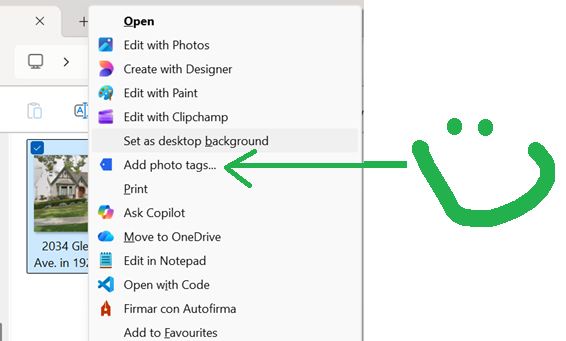
Yesterday I had a digital itch: I wanted to easily add tags to my pictures from the Windows Explorer.
Thanks to Claude, I scratched that itch and now have PhotoTagger, a tailor made software just for me.
Read on for how easy this was!
Context
I have a lot of pictures and love being able to quickly find relevant pictures by assigning tags to them. I discoverd this way back in my golden Apple days with iPhoto, but was quite aghast to learn when I left the walled garden those tags were not embedded in the actual pictures, rather had been stored in some hidden database. The escape from the walled garden while maintaining my tags was complicated and time consuming. To this day I still miss iPhoto finding it pure nirvana of photo management and have never found a replacement in Windows, rather tend to add the tags via PhotoStation which is a web interface solution embedded in my Synology Network Attached Storage (NAS). It is rather slow, and seems to get slower each day, so assigning tags is really a pain. So I finally got fed up with it and asked Claude for some solution in Windows and he offered up various tools that I tried, but none really fit my fancy. So I decided to have Claude make exactly want I wanted.
The Prompt and what followed
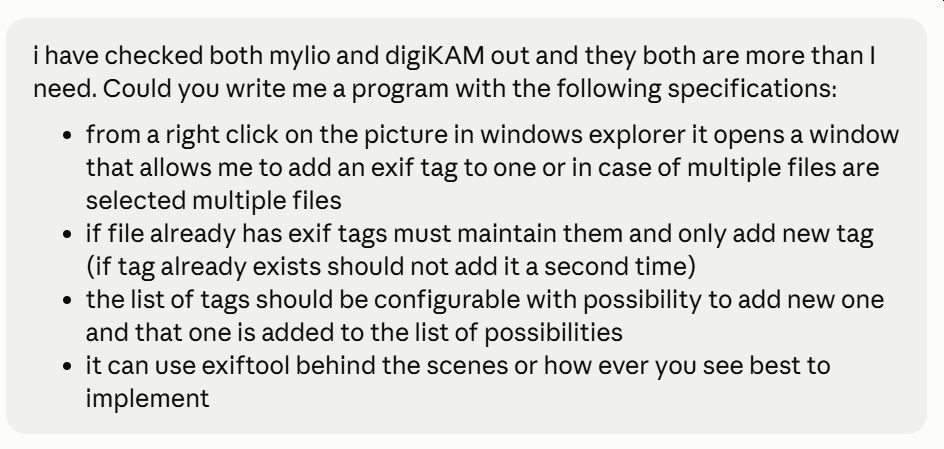
and from there Claude asked for three design decisions before starting:
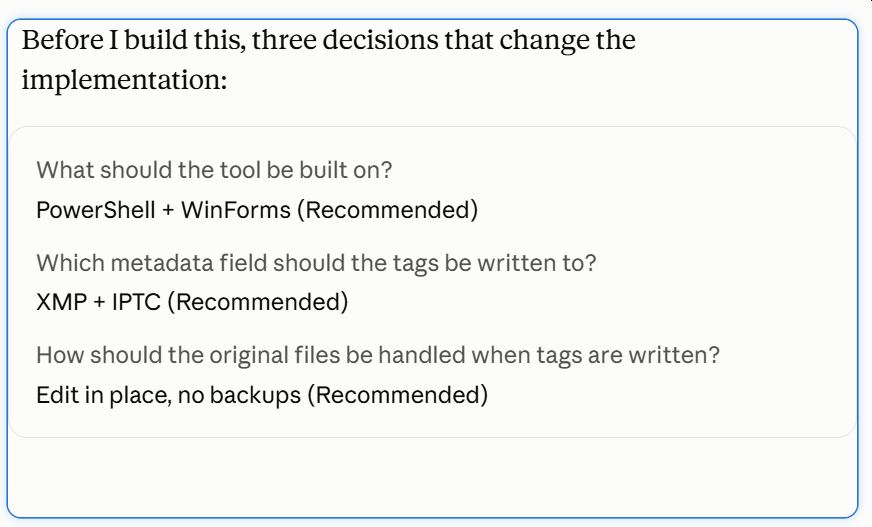
The second question is what got me. I had already been reviewing my pictures and via the command exiftool -a -G0:1 -s picture.jpg and had confirmed that the tags were currently in the to recommended metadata fields:

so it was clear he knew exactly what he was doing and I went with all his recommendations and he got cranking for about 20 minutes and spit out a zip that had everything needed including an install batch file:
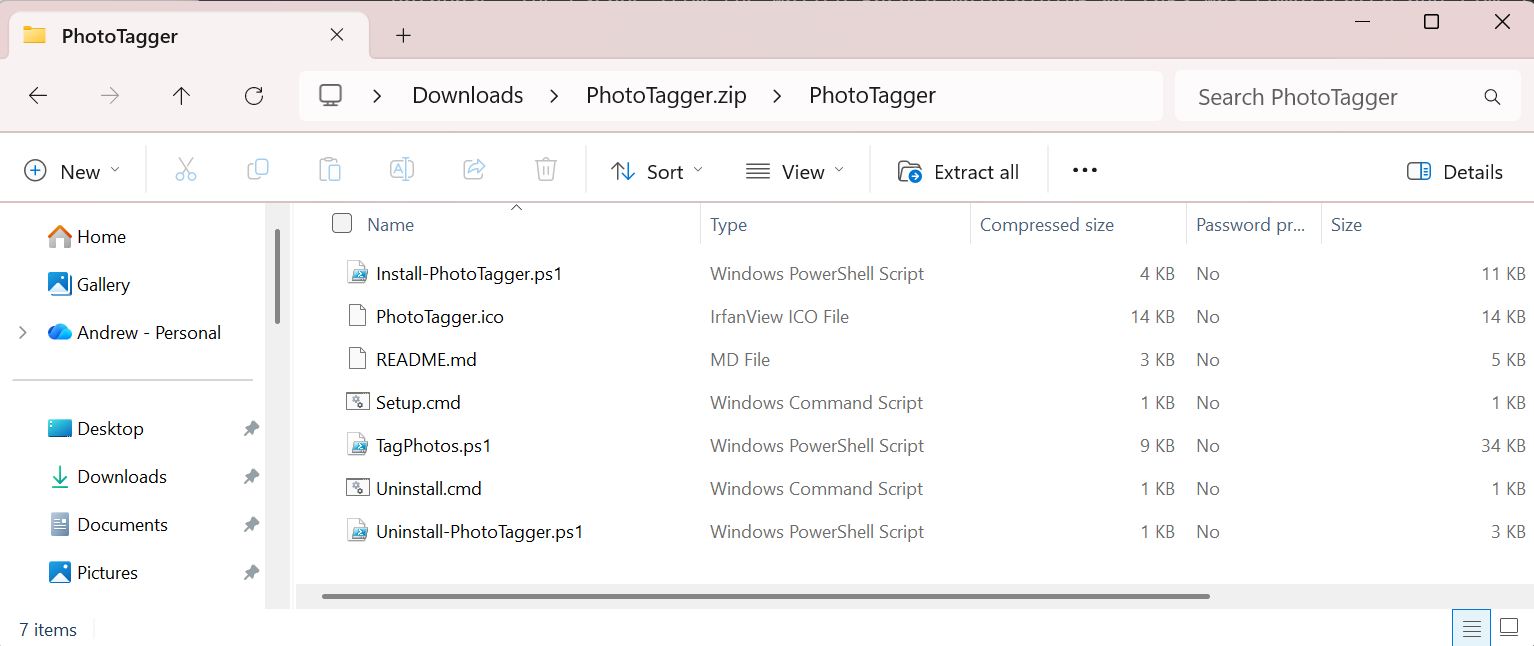
I moved the folder to the usual c:\program files (in all these years I have never understood what C:\Program Files (x86) is all about and when to use it…for me it just complicates trying to find where something is installed).
The install batch file ran without a hitch:
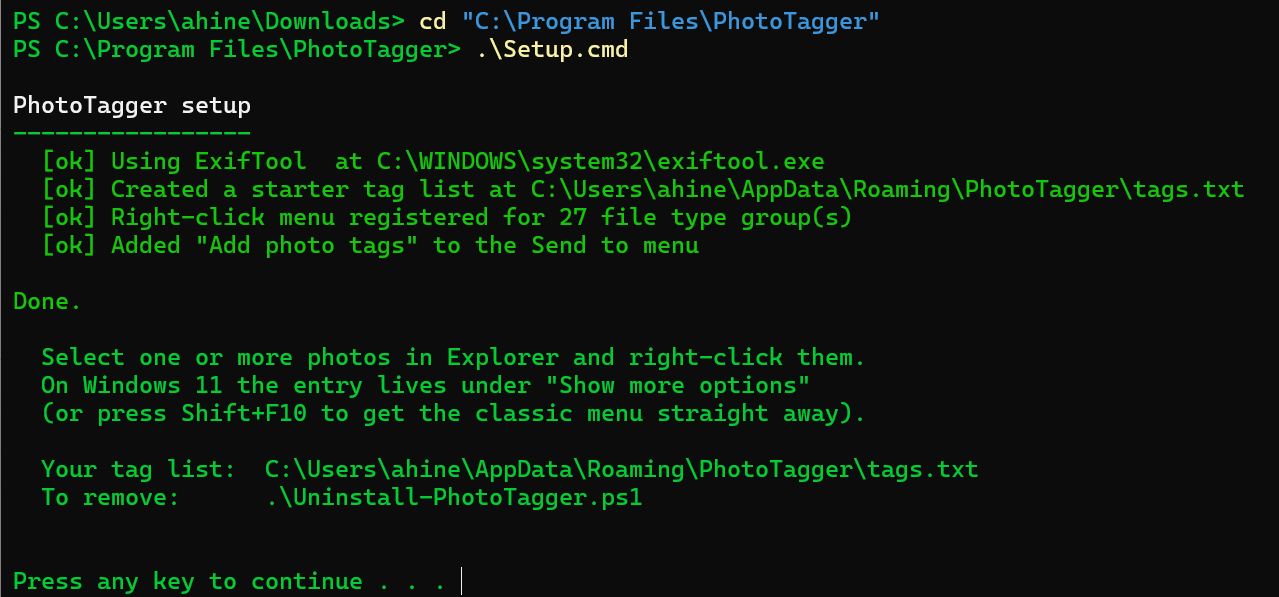
After a small drum roll I added tags to the file the Readme.md had indicated and I selected a file in the Windows Explorer hit Shift + right click (Claude had warned me if I did a normal right click I would then need to select Show more options) and was pleased to find an Add photo tags in the list of option. I clicked it and was presented with this window:
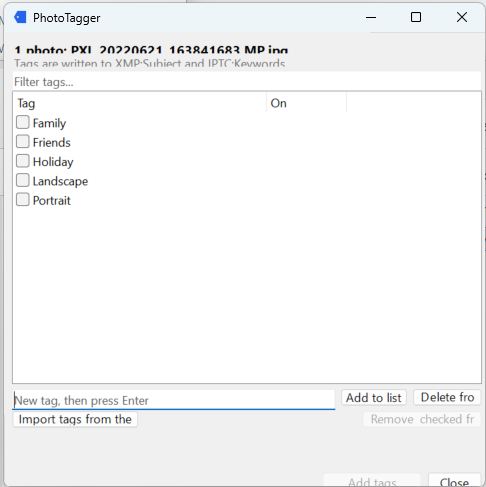
It was a little rough around the edges with text and buttons being cropped, but as a first iteration, BARK LIKE A DOG. The best part is that it even worked and I was able to add tags to pictures without any issues!
all this in 30 minutes and only consuming 19% of my current session tokens:

After about another 30 minutes of improvements we were on iteration 5 and it was looking great and had ticked all the boxes:
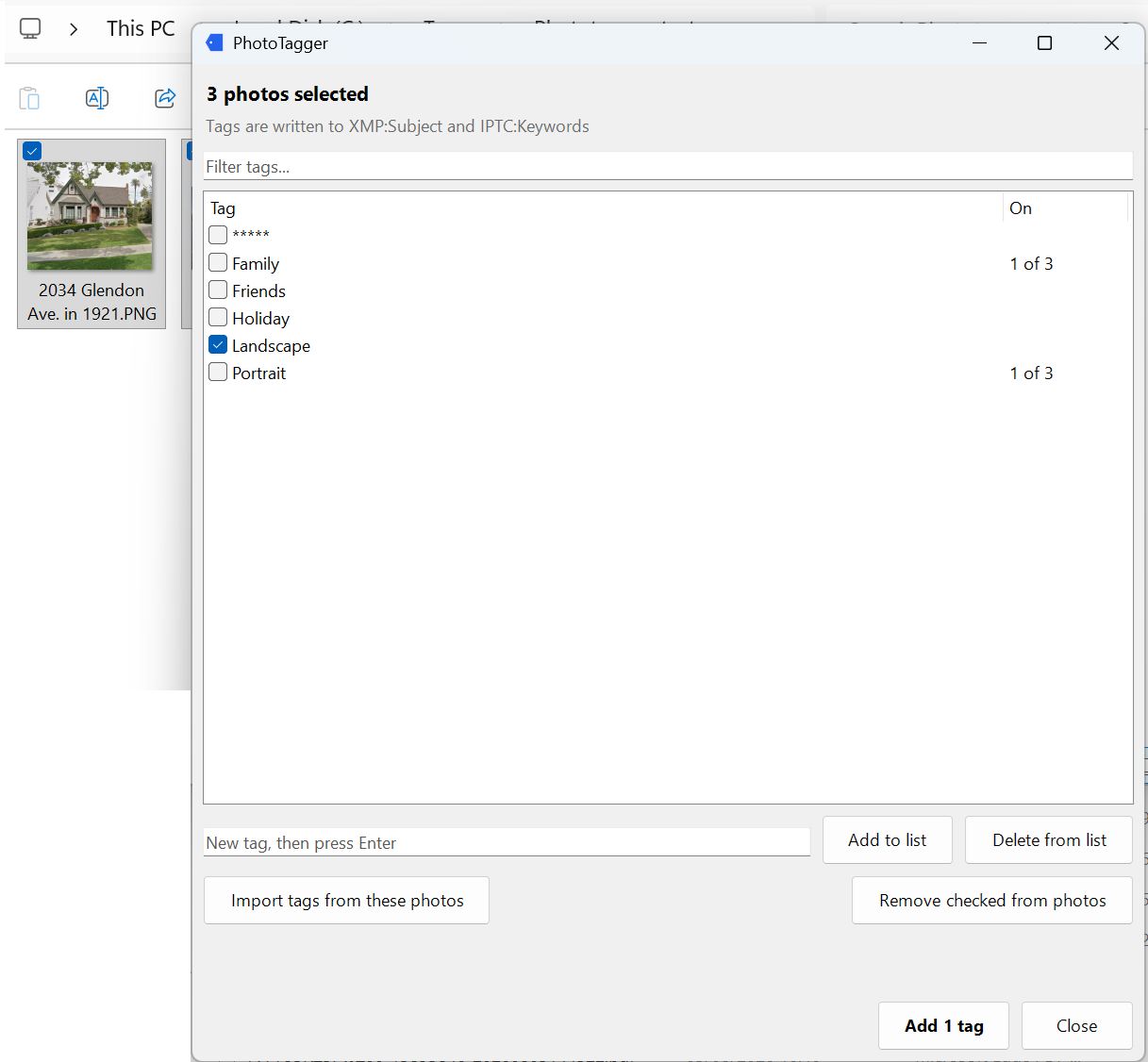
And then I proceeded to use it to tag the backlog of pictures I had accumulated, each time clicking Add tag my smile got bigger.
Reflections
Finally thanks to AI the computer belongs to us because we are now empowered to build and customize to our hearts content (or at least as our token budget allows).
Now if you will excuse me, I need to discuss with Claude writing iPhoto for Windows without any of the walled garden shenanigans.
Thanks for reading and feel free to give feedback or comments via email (andrew@jupiterstation.net).