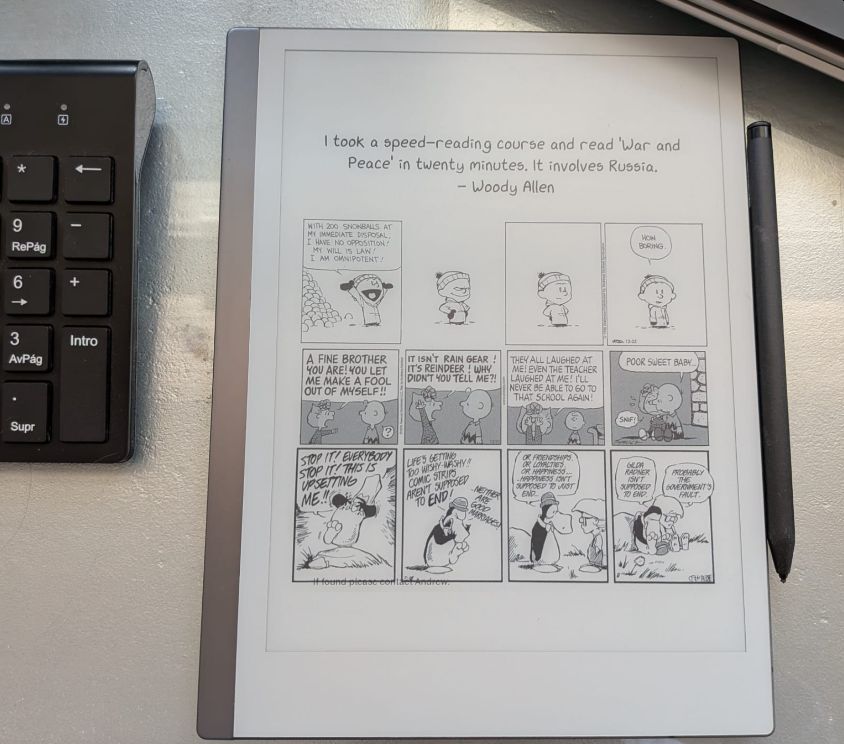
I have been using remarkable_news to have a fresh XKCD comic on my reMarkable’s sleep screen since I got it and have been really happy with it. The other day a co-worker asked how I was doing it and I pointed him to remarkable_news and had forgotten that it had all sorts of options for the sleep screen in addition to XKCD. I tried to set it up for Calvin and Hobbes but found it did not work and that led me down a rabbit hole leading to a fully customized sleep screen with a daily quote, Calvin and Hobbes, the Peanuts, and Bloom County! Read on for the details!
The problem
Remarkable_news points to https://www.gocomics.com/random/calvinandhobbes but that currently throws a HTTP 404 status code:
I tried pointing it to https://www.gocomics.com/calvinandhobbes that gives today’s comic but that did not work either. I figured this was all due to GoComics attempts to make it hard for people to just scrape their comics which is understandable they take evasive actions to protect their authors work. So I signed up for a 7 day trial to see if I was a paying member if I could figure out how to get it to work. I began discussing with Gemini how could I download the image directly on the reMarkable and despite the limited tools available via BusyBox on the reMarkable with Gemini’s help got a script working that actually succeeded in downloading the comic. The problem was that it was really small and at the top of the screen. That is when I realized the remarkable_news app could be pointed at any website and be used to enlarge and center the image. So I had Gemini concoct me this script that:
- Downloads today’s Peanuts comic
- Downloads today’s Calvin and Hobbes comic
- Downloads today’s Bloom County comic
- Generates a quote of the day
- Combines the fortune and three comics into a PNG
- Copies the PNG to https://blog.jupiterstation.net/suspended.png so it is available for remarkable_news service on my reMarkable
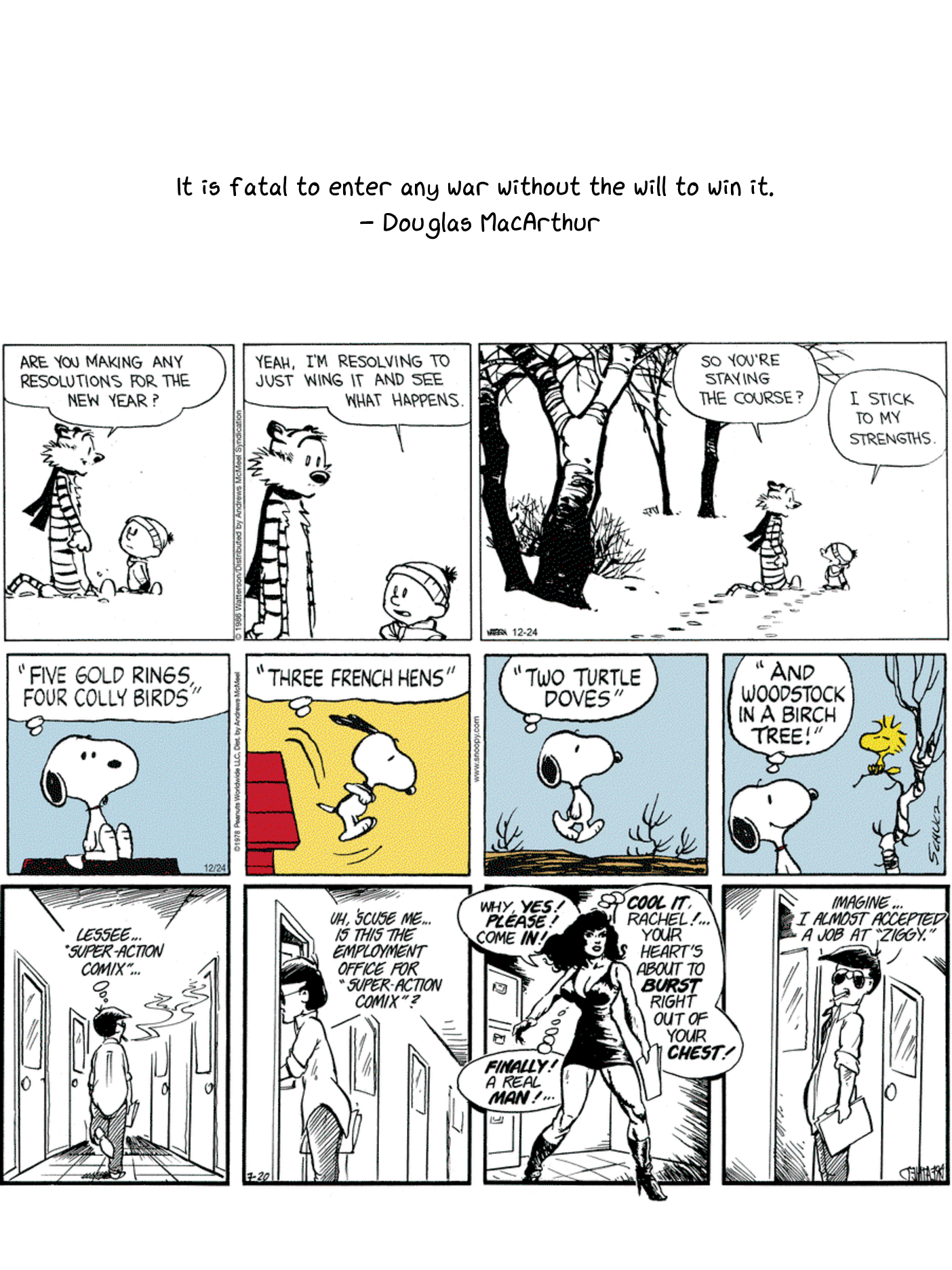
I present update_comics.sh:
#!/bin/bash

# --- Configuration ---
WORKDIR="/sd/pv/comic"
COOKIE="authorization cookie goes here"
USER_AGENT="Mozilla/5.0 (Macintosh; Intel Mac OS X 10_15_7) AppleWebKit/537.36 (KHTML, like Gecko) Chrome/120.0.0.0 Safari/537.36"

# Ensure work directory exists
mkdir -p "$WORKDIR"

# --- Function: Fetch High-Res Comic ---
# Arguments: $1 = Page URL, $2 = Output Filename (no extension)
fetch_comic_image() {
    local PAGE_URL="$1"
    local FILENAME="$2"
    local TEMP_HTML="/tmp/${FILENAME}.html"

    echo "Downloading page: $PAGE_URL"
    wget --header="Cookie: $COOKIE" --user-agent="$USER_AGENT" -qO "$TEMP_HTML" "$PAGE_URL"

    # Extract high-res URL (try 1500w then 1200w)
    local IMG_URL=$(grep -oE 'https://featureassets.gocomics.com/assets/[^ ]+ 1500w' "$TEMP_HTML" | head -n 1 | awk '{print $1}')
    if [ -z "$IMG_URL" ]; then
        IMG_URL=$(grep -oE 'https://featureassets.gocomics.com/assets/[^ ]+ 1200w' "$TEMP_HTML" | head -n 1 | awk '{print $1}')
    fi

    if [ -n "$IMG_URL" ]; then
        echo "Found high-res image: $IMG_URL"
        wget --user-agent="$USER_AGENT" -qO "$WORKDIR/${FILENAME}.png" "$IMG_URL"
        rm "$TEMP_HTML"
    else
        echo "Error: Could not find image URL for $FILENAME"
        rm "$TEMP_HTML"
        exit 1
    fi
}

# --- Main Execution ---

# 1. Download both comics using the function
fetch_comic_image "https://www.gocomics.com/profile/xxxxxxxx/comics/222840" "peanuts"
fetch_comic_image "https://www.gocomics.com/profile/xxxxxxxx/comics/222986" "cah"
fetch_comic_image "https://www.gocomics.com/profile/xxxxxxxx/comics/223013" "BloomCounty"

# 2. Get a short fortune
MY_FORTUNE=$(curl -k https://api.quotable.io/random -s | jq -r '"\(.content)\n - \(.author)"')

# 3. Combine everything with ImageMagick
# Order: Fortune (top), C&H (middle), Peanuts (bottom)
echo "Generating suspended.png..."
convert \
    -background white -fill black \
     -font /usr/local/share/fonts/truetype/xkcd/xkcd-script.ttf \
    -pointsize 40 \
    -size 1404x400 -gravity center caption:"$MY_FORTUNE" \
    "$WORKDIR/cah.png" -resize 1404x \
    "$WORKDIR/peanuts.png" -resize 1404x \
    "$WORKDIR/BloomCounty.png" -resize 1404x \
    -append \
    -background white -gravity center -extent 1404x1872 \
    "$WORKDIR/suspended.png"

# 4. Copy to distribution point
cp "$WORKDIR/suspended.png" "/sd/pv/blog/content/suspended.png"

echo "All done! Sleep page updated."
I then added an entry to my crontab to run every morning at 6am:
0 6 * * * /sd/pv/comic/update_comics.sh
And now I have a customized sleep screen on my reMarkable!
Links, References and things that helped with this
Thanks for reading and feel free to give feedback or comments via email (andrew@jupiterstation.net).